Oct 5, 2026
Choose a Pickup Point Straight from the Reminder Email
When an order arrives without a pickup point, Globe can send the customer a reminder email. Until now it had one button leading to the order status page, where the customer still had to find a point on the map.
The reminder can now list the five pickup points nearest to the shipping address, with distance and type. Each one has a Choose this point button.
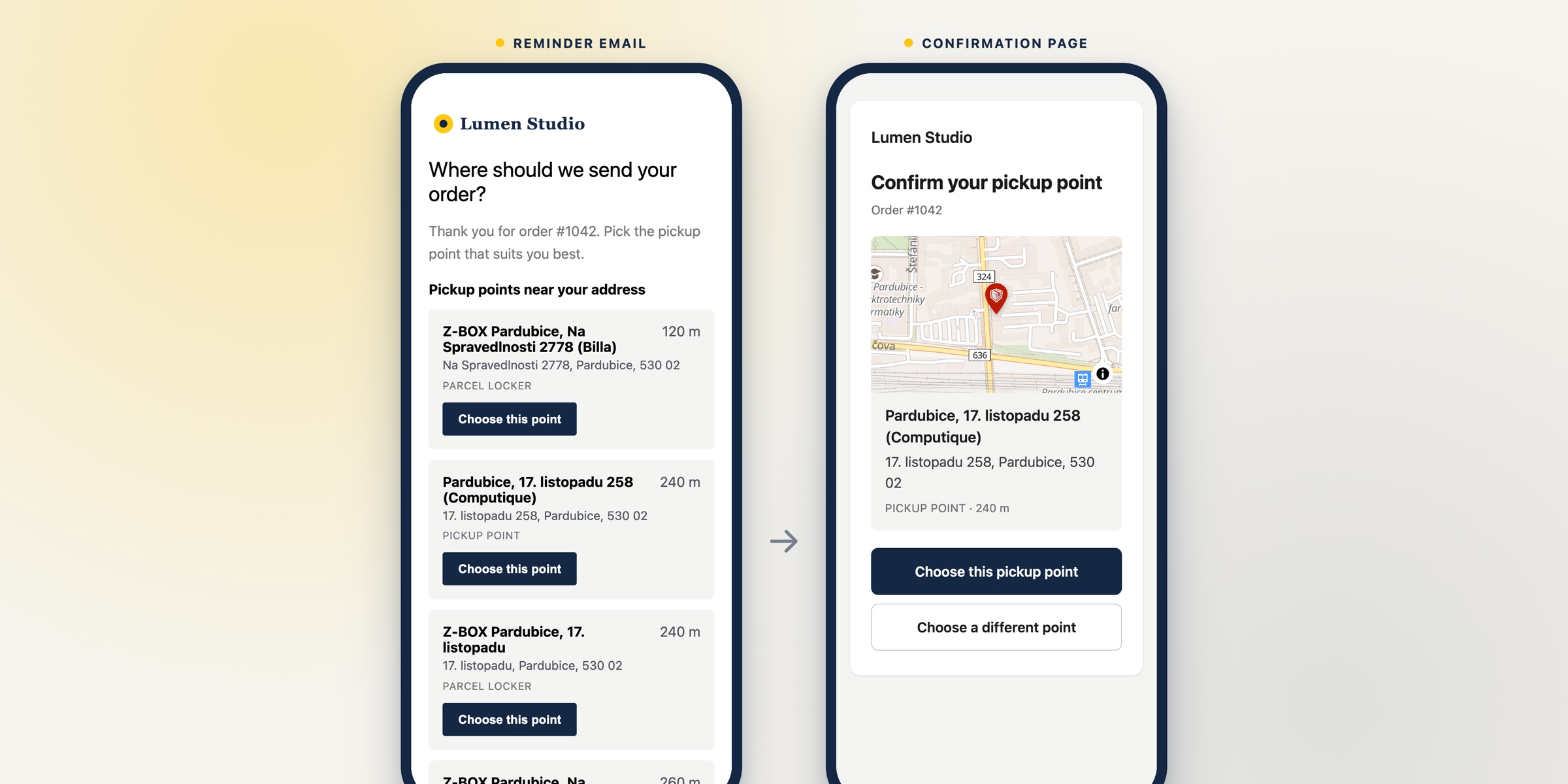
The button opens a short page with the point on a map. One more tap saves it to the order, the same way as choosing it on the order status page: your order attributes, tags and address update apply, and the customer ends up on the order status page.
- An order that already has a pickup point is never changed. The page tells the customer to contact your store instead.
- When the carrier has no pickup point near the address, the reminder is not sent.
- The list and the page are in the language of the email.
Switch it on for each carrier under Email reminders → Show the 5 nearest pickup points in the email. It is available on all plans.
The template editor also has a Preview button for every language, showing the email exactly as it will be sent, and it now checks that the logo address leads to an image the email can show.
Setup details are in the documentation.