Automatic email reminders for missing pickup points
When an order comes in without a selected pickup point, Globe automatically emails the customer about 5–10 minutes later. The email can list the five pickup points nearest to their address, each with a button that saves it to the order. Reminders carry your logo, brand colors and your own texts, in 30+ languages, sent from your own domain.
14-day free trial · reminders in 30+ languages


Why
Let an email chase the missing pickup point, not your team
Without reminders
- 1An order arrives without a pickup point
- 2Someone has to notice it
- 3You write to the customer by hand
- 4And translate that email for every market
With email reminders
- 1Globe emails the nearest points
- 2Customer picks one
- Done.
Sent automatically
About 5–10 minutes after the order
In your customer's language
30+ languages, your own texts
From your own domain
Your logo, colors and sender
How it works
Multilingual missing-point reminders
A pickup point chosen right from the email
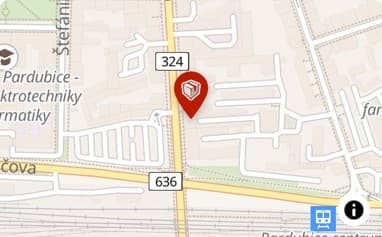
The reminder lists the five pickup points nearest to the shipping address, with distance and type. The customer taps Choose this point, confirms it on a short page with a map, and it is saved to the order.
Your brand, your customer's language
Add your logo, set the button color and edit every text in the app, with a translation for each language you sell in (30+ supported). Need a fully custom design? Send us your HTML template and we'll set it up.
Part of a bigger safety net
Combine reminders with Shopify Flow auto-selection or checkout validation so no order ships without a pickup point.
Learn more: Reducing unselected pickup point orders ↗
Setup and cost
Your brand, your words, your domain
Everything in the reminder is edited in the app. Need a fully custom design? Send our support team an HTML/CSS template and we'll integrate it for you.
What you need
- Your logo and button colorSet directly in the app
- Your texts, translatedOne version for each language you sell in
- Your own sender domainCustomers see your store in the From line
FAQ
Frequently asked questions
Can't find your answer? Write to us.
When is the reminder sent?
About 5–10 minutes after an order is placed without a selected pickup point. The email links to the order status page, or lists the nearest pickup points so the customer picks one right from the email.
Can customers choose a pickup point directly from the email?
Yes. Switch on the five nearest pickup points for a carrier and the reminder lists them with distance and type. Each has a Choose this point button that opens a short page with the point on a map. One more tap saves it to the order. It works on all plans.
What if the order already has a pickup point?
It is never changed. The page tells the customer to contact your store instead. And when the carrier has no pickup point near the address, the reminder is not sent.
Can I change the design?
Yes. Logo, button color and all texts are editable in the app. For a fully custom design, send our support team an HTML/CSS template and we'll integrate it for you.
Do reminders work in multiple languages?
Yes. Every text in the reminder can be translated, with 30+ languages supported, so multilingual stores send each customer the right language.
Can reminders be sent from my own domain?
Yes. Reminders can use your own brand domain as the sender, so customers see your store in the From address instead of a generic one.
What if the customer ignores the reminder?
Use Shopify Flow to assign the nearest pickup point automatically, follow up via the order status page link, or enable checkout validation. Pick whichever strategy fits your store.
More in Globe
Every feature works with the others
Every feature is part of Globe, the top-rated Shopify pickup points app.
14-day free trial
Stop chasing missing pickup points by hand.
Streamline your shipping with 65+ carriers, automated label printing, and over 5M+ pickup points worldwide. Start in minutes with our free 14-day trial. Quick setup, no commitments.