Pickup point selection after checkout, including Apple Pay & Shop Pay
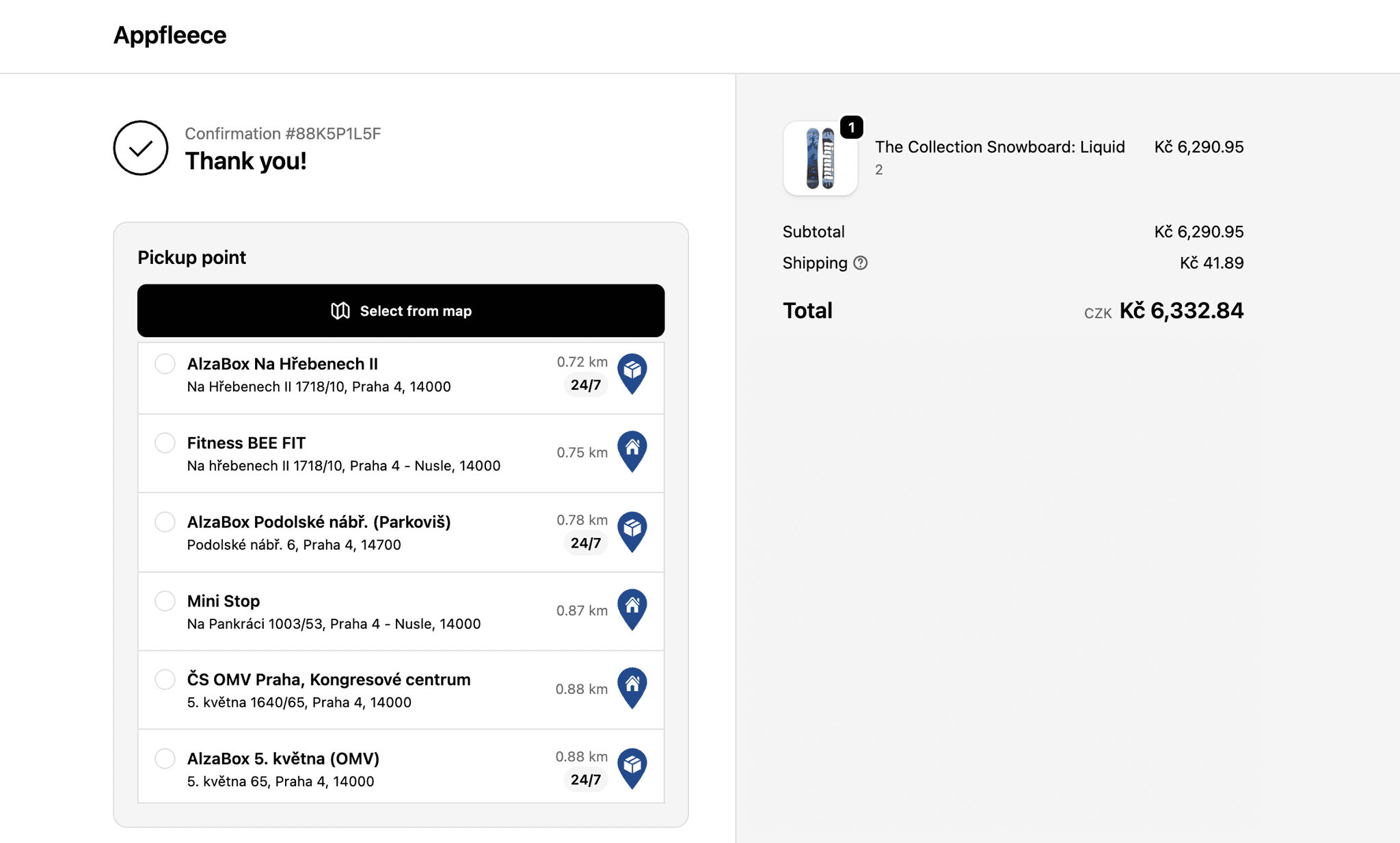
Globe adds a pickup point selector to the Shopify thank-you and order status pages. Customers who paid with express checkout (Apple Pay, Google Pay or Shop Pay) pick their point right after paying, and everyone else can review or change their selection. Best combined with the checkout map, checkout rates or cart widget, so every order ends up with a point.
14-day free trial · works on every Shopify plan



Live in shops like


Case studies
Stores that catch express-checkout orders on the thank-you page
Apple Pay, Google Pay and Shop Pay can skip the shipping step, so these stores show the pickup point selector on the thank-you and order status pages too, whatever they use before payment. See how each one set it up.
“The app works great, and so does the fast, helpful customer support. We recommend it to anyone considering Shopify.”

 Czechia & Slovakia · Shopify BasicHow Loklok uses Globe to ship kombucha cartons with DPD, to the door and to pickup pointsRead the story →
 Czechia & Slovakia · Shopify GrowGLS and Packeta points picked right after paying, without PlusRead the story →
 Central Europe · Shopify GrowHow Vojta Hubne put Packeta pickup points in its own black and gold cart, without Shopify PlusRead the story →
 Czechia & Slovakia · Shopify PlusHow Facederma packs and ships skincare through Packeta with GlobeRead the story →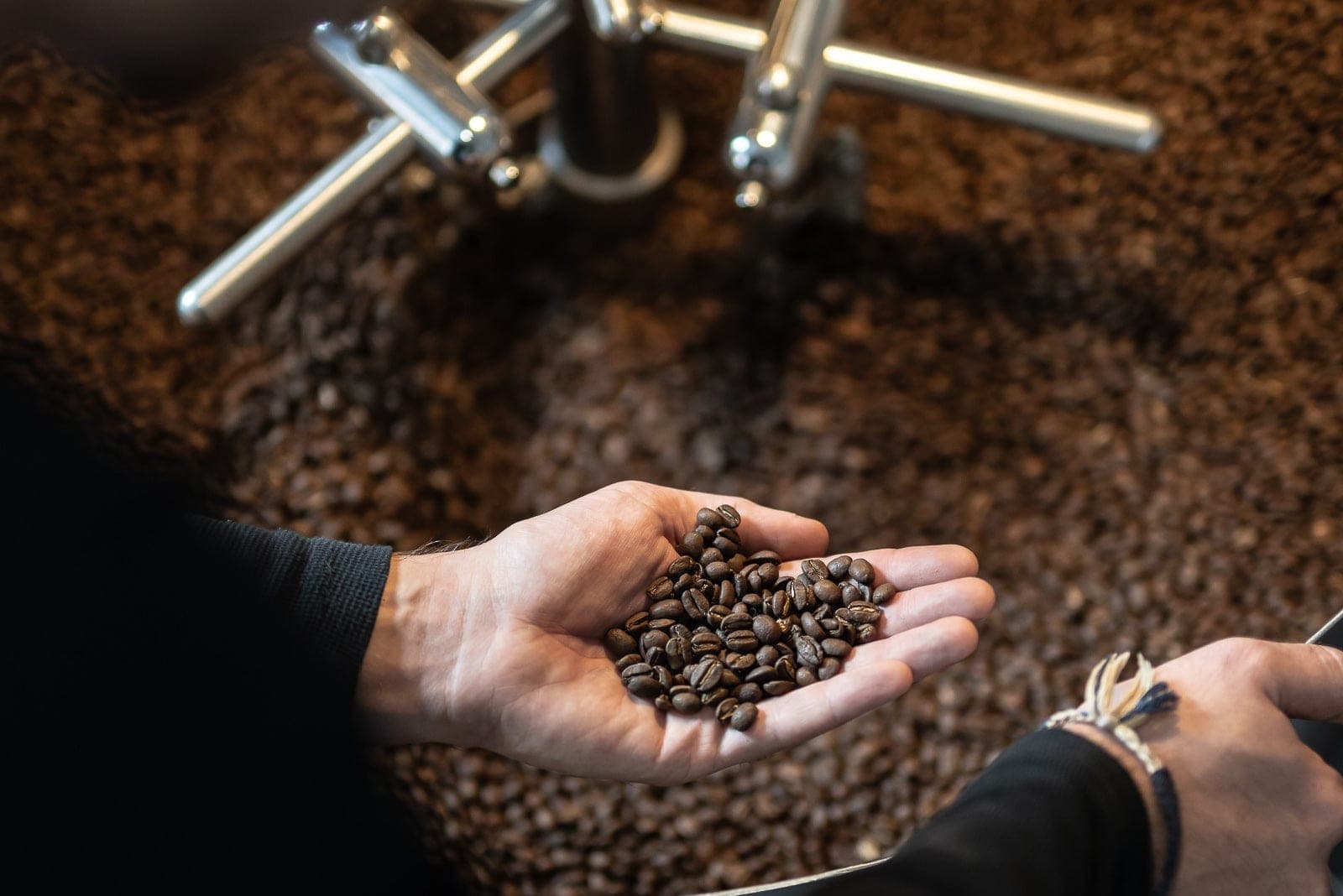
 Czechia · Shopify BasicHow Bohemian Coffee House sends freshly roasted coffee to Z-BOX lockers, picked right in the slide-out cartRead the story →
 Czechia & Slovakia · Shopify BasicHow Genkia ships herbal products with pickup points and CODRead the story →
Show all 10 stories

 Worldwide · Shopify PlusHow Posedla ships one order in two parcels, weeks apartRead the story →
 Czechia & Slovakia · Shopify PlusHow Econea offers PPL boxes, Balíkovna and Packeta in its Shopify Plus checkoutRead the story →
 Central Europe · Shopify PlusHow Elmich ships cookware with Packeta and DPD to four countries with GlobeRead the story →
 Europe · Shopify PlusHow Dedoles offers pickup points in twelve countries straight from the Shopify Plus checkoutRead the story →
Why
Catch the orders that skip the shipping step
Without a post-purchase selector
- 1Apple Pay or Shop Pay can skip the shipping step
- 2The order comes in without a pickup point
- 3Your team chases the customer by email
- 4Changing the point means writing to support
With the post-purchase selector
- 1Customer pays with Apple Pay
- 2Picks a point on the thank-you page
- Done.
Express orders covered
Apple Pay, Google Pay and Shop Pay
Changeable after ordering
From the order status page
Works on every plan
No Shopify Plus needed
How it works
Thank-you & order status pages
Express checkout covered
Wallet payments like Apple Pay can skip the shipping step entirely. The post-purchase selector catches exactly those orders. Customers pick their point right on the thank-you page.
 Z-BOX Praha 5, Smíchov
Re-confirm or change the point
Customers see their selected pickup point right after checkout and can change it from the order status page. That means fewer support emails and failed deliveries.
Backstop for every other method
If a customer somehow finishes checkout without a point, Globe can send automatic email reminders or let Shopify Flow assign the nearest one. Orders stay fulfillment-ready.
Setup guide: Adding the selector to checkout & post-purchase pages ↗
Setup and cost
No Shopify Plus needed
The selector works on every Shopify plan and is the recommended method for stores without Plus. Pair it with the cart widget or checkout rates so every order ends up with a point.
What you need
- Install GlobeFrom the Shopify App Store
- Add the selector blockTo the thank-you and order status pages
- Choose a backstopEmail reminders or a Shopify Flow rule
FAQ
Frequently asked questions
Can't find your answer? Write to us.
What happens when a customer pays with Apple Pay or Shop Pay?
Express payment methods can skip the shipping step, so the pickup point is selected right after payment. The selector appears on the thank-you page and the choice is saved to the order like any other selection.
Can customers change their pickup point after ordering?
Yes, from the order status page. The updated selection is stored on the order and flows into your exports, label printing and integrations.
Do I need Shopify Plus for this?
No. The thank-you and order status page selector works on every Shopify plan. It's the recommended method for Basic, Shopify and Advanced stores.
What if the customer never picks a point?
Combine the selector with automatic email reminders, checkout blocking, or a Shopify Flow rule that assigns the nearest pickup point. Pick whichever strategy fits your store.
More in Globe
Every feature works with the others
Every feature is part of Globe, the top-rated Shopify pickup points app.
14-day free trial
Catch every Apple Pay order without a pickup point.
Streamline your shipping with 65+ carriers, automated label printing, and over 5M+ pickup points worldwide. Start in minutes with our free 14-day trial. Quick setup, no commitments.