One order, from cart to warehouse

This is how one order moves through a Shopify store with Globe: from picking a pickup point to the label and the data in your warehouse. Every step is its own feature, so you switch on only the ones you need.

Try Globe for free5.0 from 135 reviews on the Shopify App Store

Where do your customers pick their pickup point?

The first step depends on your Shopify plan. Everything after it is the same.

01 · Cart

The pickup point is picked in the cart

The customer opens the cart page or cart drawer and picks the nearest parcel locker or pickup point on a map with address search. You add the widget through your theme, and it works on every Shopify plan.
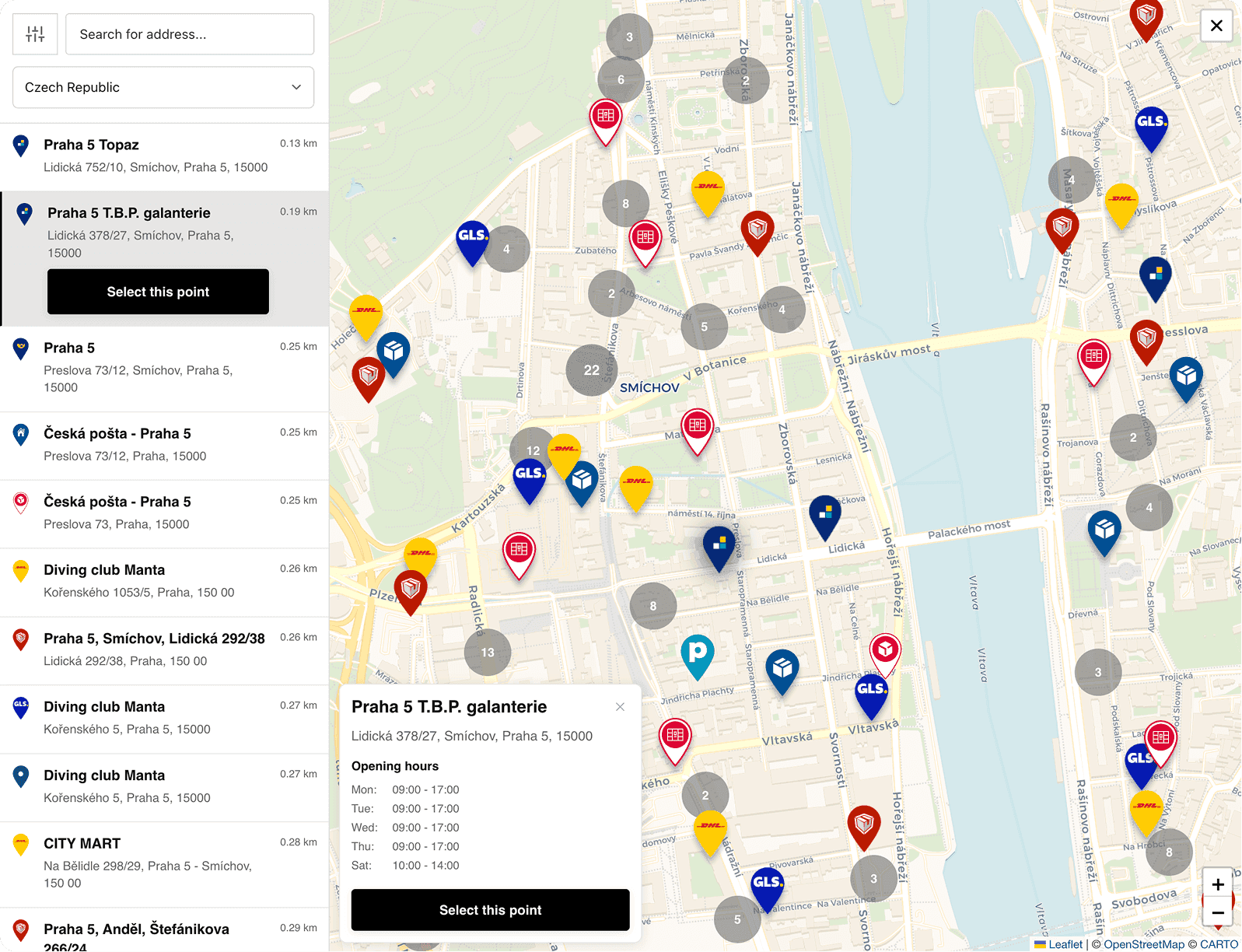

Pickup point map in the Globe cart widget on a Shopify store

← Swipe to see the whole screenshot →

02 · Checkout

In checkout they only pay

The point is already chosen, so the customer just completes the payment, and the pickup point address can be prefilled in checkout. The selection is saved to the order like any other pickup point choice.

01 · Checkout

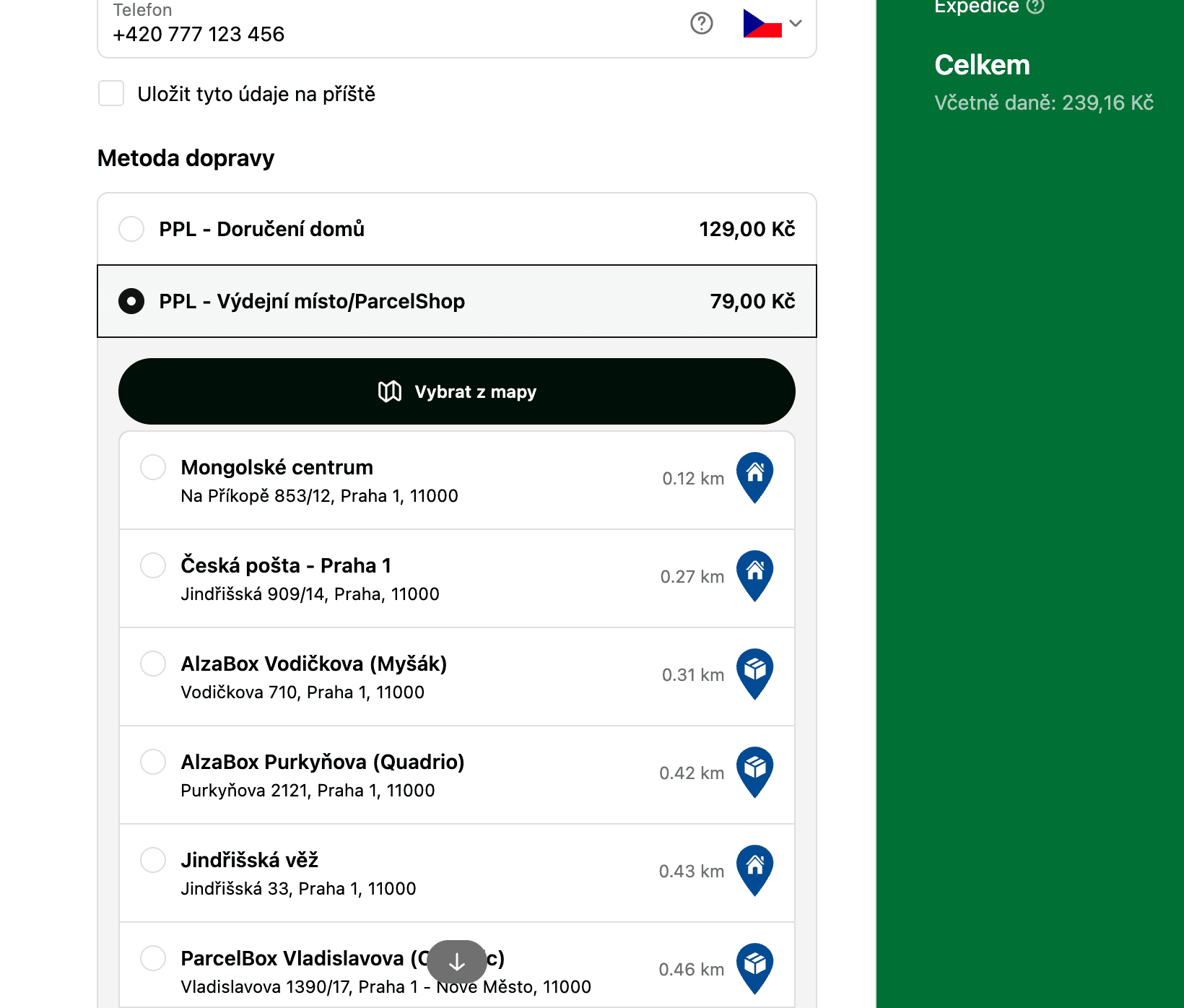
A pickup point map right in the Plus checkout

On Shopify Plus the customer picks a parcel locker or pickup point from a list or a map in checkout, so the point is on the order before it is placed. The map runs on your own Google Maps API key, and instead of it you can use the pickup point generator (a Shopify beta for Plus), which shows the points natively in the delivery step.

PPL pickup point list with a map button in a Shopify Plus checkout

← Swipe to see the whole screenshot →
01 · Checkout

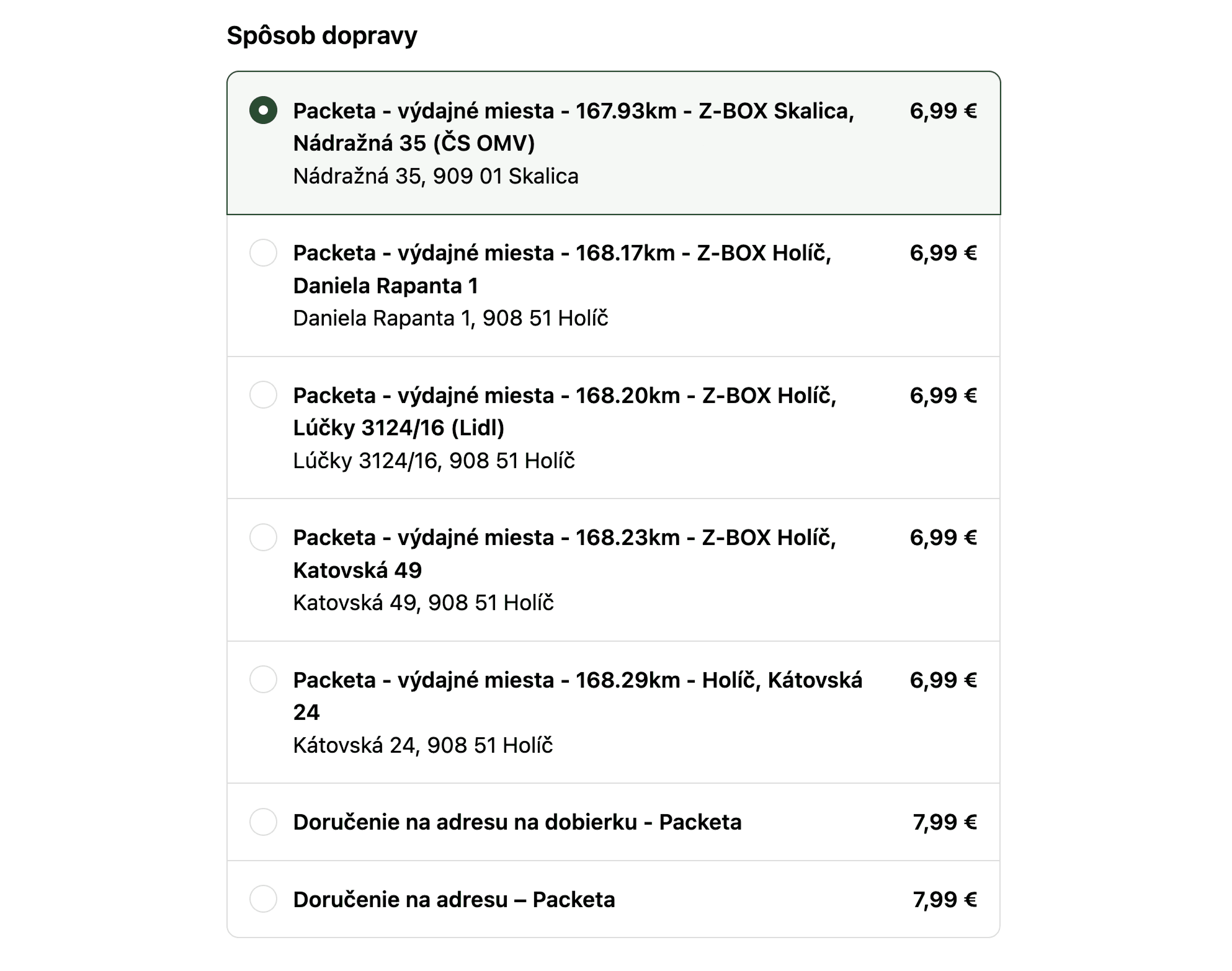
The nearest pickup points as shipping rates

Each nearby pickup point shows up in checkout as its own shipping rate with distance, carrier and address, sorted nearest first. Globe syncs the prices from your Shopify shipping rates, and it runs on Shopify Advanced and annual Grow, no Plus needed.

Packeta pickup points as separate shipping rates in a Shopify checkout

← Swipe to see the whole screenshot →

0302 · After payment

A safety net for express payments and missing points

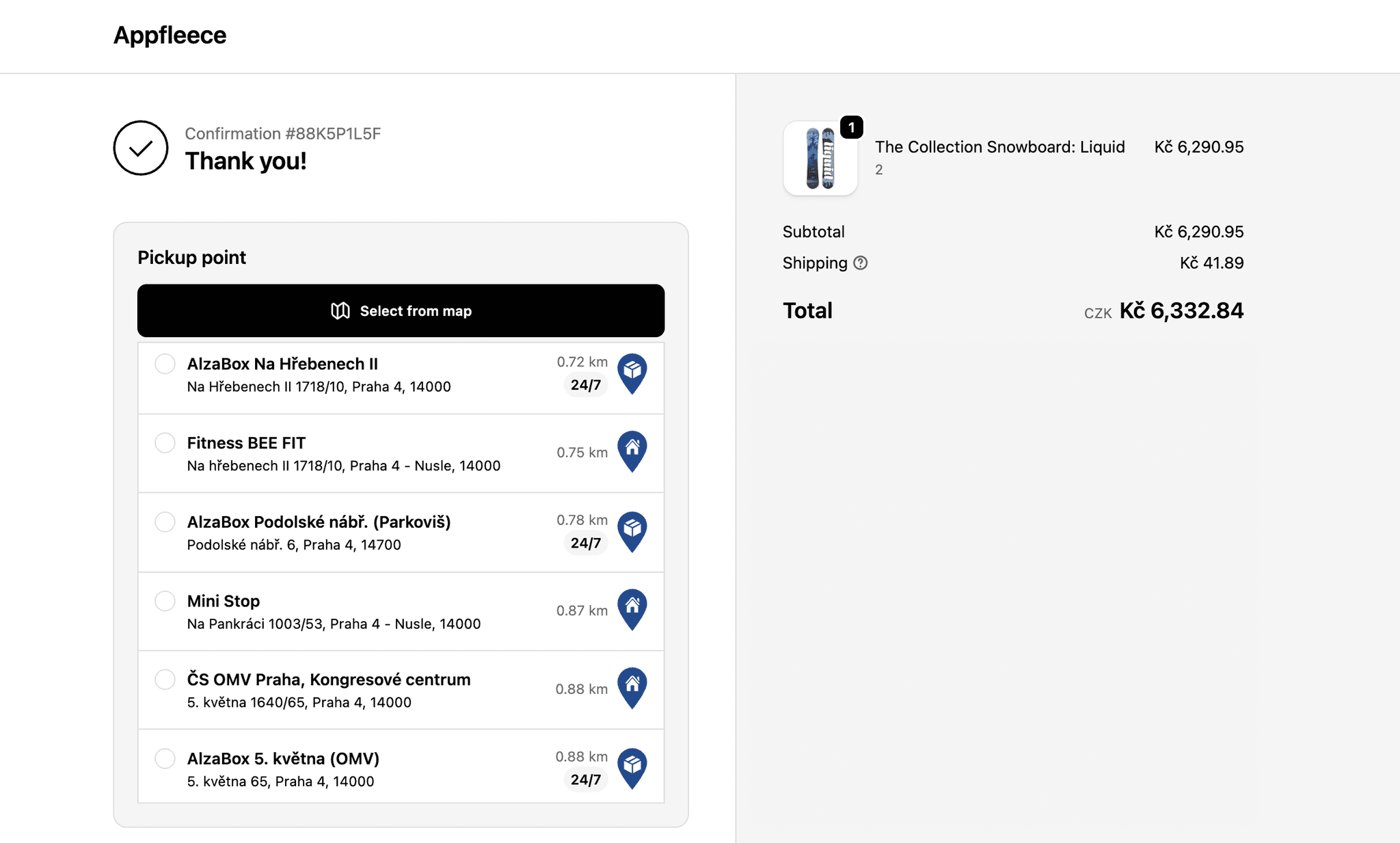
Apple Pay, Google Pay or Shop Pay can skip the cart and the shipping step, so those customers pick their point on the thank-you or order status page, on every plan. If an order still comes in without a point, Globe emails the customer about 5 to 10 minutes later with the five nearest points, each with a button that saves it to the order.

Pickup point selector on the Shopify thank-you page

← Swipe to see the whole screenshot →

0403 · Label

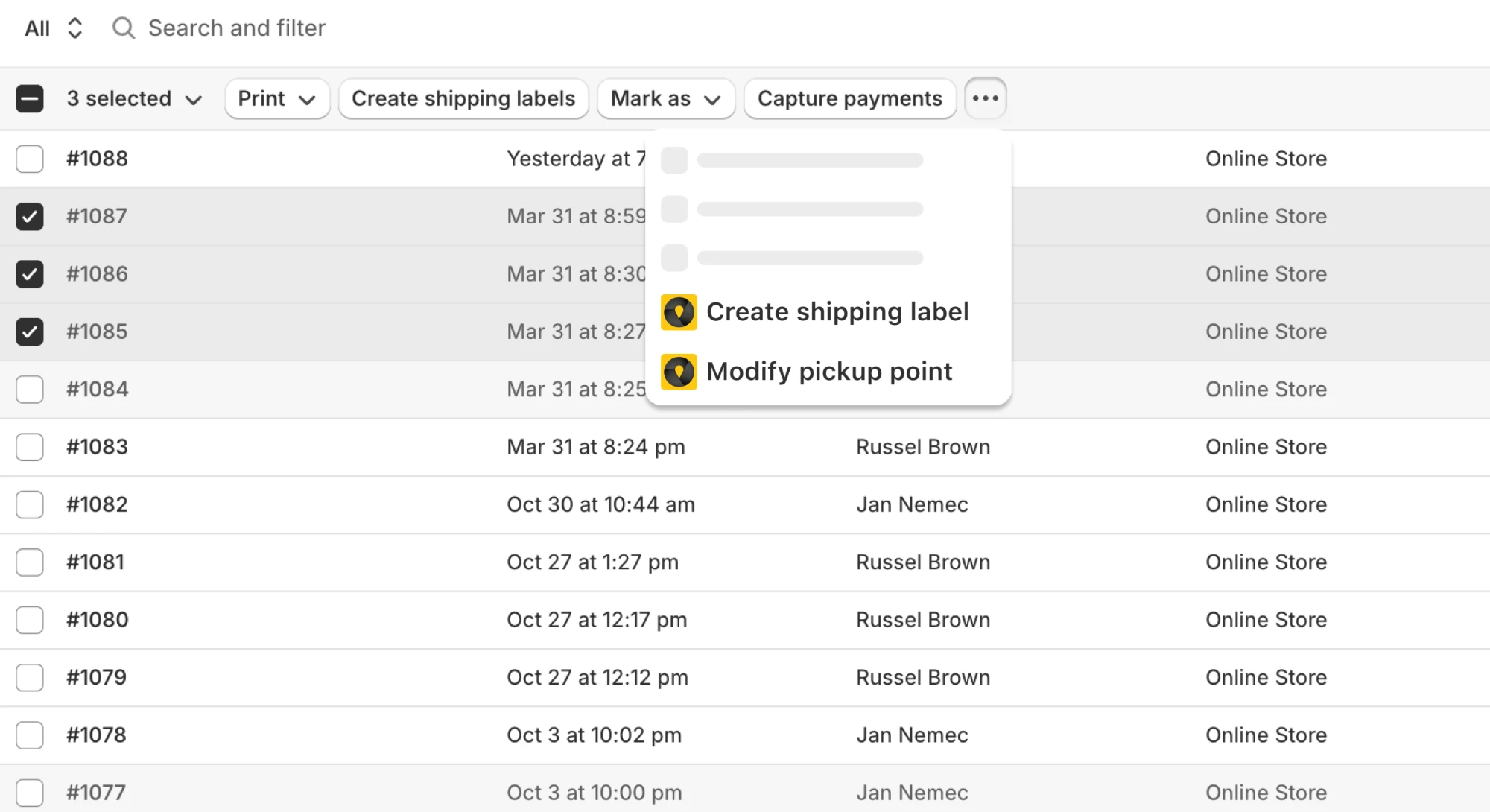
The label from the Shopify Orders page

You print labels for 15 carriers right in the Shopify admin, in bulk or one by one with no per-label fee, and the order is marked fulfilled with a tracking link for the customer. Globe passes cash on delivery onto the label, and with Shopify Flow the label is created on its own as soon as the order is created or paid.

Bulk label printing from the Shopify Orders page

← Swipe to see the whole screenshot →
0504 · Your system

The pickup point where your warehouse reads it

Base (Baselinker), MetaKocka and Picqer get the pickup point automatically, and fulfillment partners like Mailstep or Fulfillment.cz read it from the order attributes with no extra setup. For any other system you set up a CSV export in the format your warehouse expects.

Shopify plans

Which step runs on which Shopify plan

Almost everything works on every plan. Only where the customer picks the point in checkout depends on your Shopify plan.

Compare Globe plans

14-day free trial

Try it on your next order

Install Globe, switch on your carriers and print the label for your next order from the Orders page. 14 days free, no commitment.

5.0 from 135 reviews on the Shopify App StoreBuilt for Shopify