
Integrate Sendcloud Pickup Points into Your Shopify Store

Show the service points from your own Sendcloud account in your Shopify checkout with Globe's Sendcloud integration. Sendcloud is a shipping platform that online stores use to create labels with many carriers from one account. Globe reads the service points of the carriers you have enabled there (Mondial Relay, Colissimo, Chronopost, PostNL, DHL, GLS, DPD, bpost, InPost, Correos, Poste Italiane, Evri, UPS and others) and saves Sendcloud's own service point ID on the order, which is the ID Sendcloud asks for when a label is created.
- 8 countries
- 2 pickup types




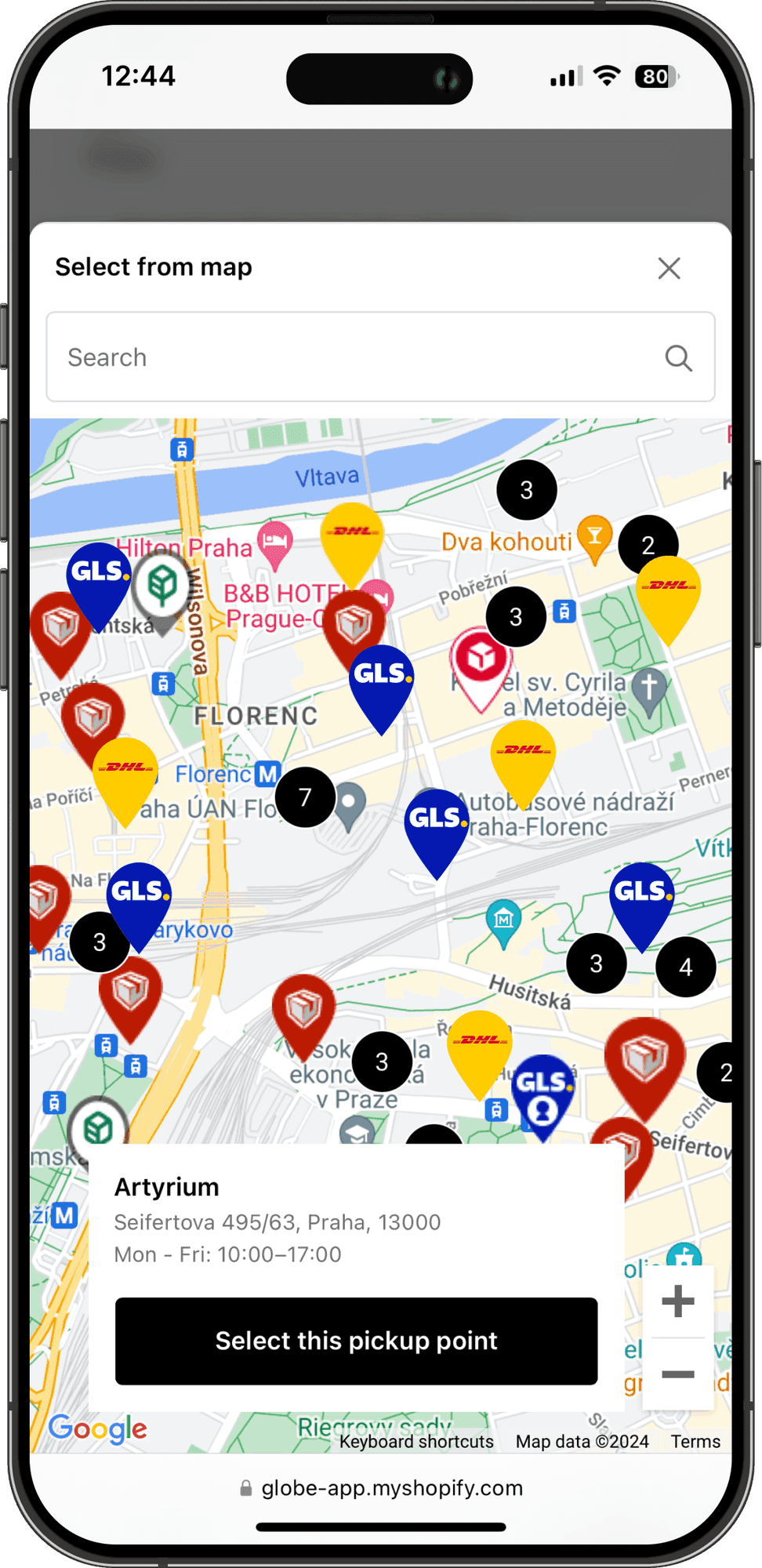

Pickup point types
Types of Sendcloud Pickup Points for Shopify Stores
Service Points
Parcel shops, post offices and partner stores of the carriers enabled in your Sendcloud account, each with its address and weekly opening hours.
Parcel Lockers
Lockers of the same carriers on the same map, for collection outside shop hours.
Sendcloud in Globe suits stores whose labels are created through Sendcloud, in-house or by a fulfilment partner. Customers pick a service point on the map in your Shopify checkout and the order carries the ID Sendcloud needs.
Globe Pickup Points & Shipping supports Sendcloud and 64+ other carriers.
Coverage
Supported countries for Sendcloud
Sendcloud operates an extensive network of pickup points covering 8 countries in Europe, providing customers with convenient access to thousands of secure collection locations.



With Globe
Complete Sendcloud Pickup Points Integration for Shopify Stores
Sendcloud offers comprehensive pickup point networks with seamless integration for Shopify.
Service points from your own Sendcloud account
Show the service points of the carriers enabled in your Sendcloud integration on an interactive map at checkout: Mondial Relay, Colissimo, PostNL, DHL, GLS, InPost and others.
Sendcloud's service point ID on the order
The order carries the ID Sendcloud asks for when a label is created, in the order attributes and in the sendcloud.service_point metafield.
One provider or one per carrier
Offer every enabled carrier under one Sendcloud provider, or limit a provider to selected carriers and give it its own shipping method.
Live availability sync
Globe keeps Sendcloud pickup-point locations, opening hours and availability current at checkout, so customers never select a closed or full point.
Flexible: pickup points and home delivery
Offer Sendcloud pickup points alongside home delivery, with your own rules, pricing and availability for each delivery method.
Express checkout and OMS export
Works with Shop Pay, Apple Pay and Google Pay, and exports orders (including pickup selections) to CSV for Baselinker, Mailstep and other OMS/WMS tools.
Preview
Preview Sendcloud Integration in Your Shopify Store
See how the Sendcloud integration will look in your Shopify store.
View our demo store ↗
About the carrier
Key Features of Sendcloud
For more information, visit Sendcloud website ↗
Sendcloud's Service Point ID on the Order
The selected point is saved with the ID Sendcloud uses: in the order attributes, in the Globe.PickupPoint metafield and in the sendcloud.service_point metafield, in the format of Sendcloud's own checkout. Useful when your labels are created through Sendcloud, by you or by your fulfilment partner.
Your Carriers, Your Choice
The picker shows the carriers enabled for Service Point delivery in your Sendcloud integration. One Sendcloud provider can cover all of them, or you can limit it to selected carriers and give each its own shipping method.
Connected with a Public Key
Add Sendcloud to your pickup point providers in Globe and paste the Public Key of your Sendcloud API integration. Globe verifies the connection and lists the carriers it found.
FAQ
Frequently Asked Questions
Can't find your answer? Write to us.
How does Sendcloud integration with Globe work?
Install Globe from the Shopify App Store, add Sendcloud to your pickup point providers and paste the Public Key of your Sendcloud API integration. Customers pick a service point on an interactive map at checkout, and the selection is saved on your Shopify order with its Sendcloud ID.
Which countries does Sendcloud cover?
It depends on the carriers enabled for Service Point delivery in your Sendcloud account. Sendcloud works with carriers in the Netherlands, Belgium, Germany, France, Spain, Italy, Austria and the United Kingdom.
Can I print Sendcloud labels with Globe?
Globe adds Sendcloud pickup points at checkout; label printing is not part of this integration, but you can export your orders to CSV for your existing label workflow.
How long does it take to set up Sendcloud?
Just minutes: install Globe, enable Sendcloud, and its pickup points appear at your checkout immediately.
Are there any extra costs for high order volumes?
No. Globe charges no per-order fees. Pricing is flat with a free 14-day trial, whatever your volume.
How do Sendcloud pickup points help my store?
Offering Sendcloud pickup points at checkout gives customers a convenient, trusted delivery option, which lifts conversion and cuts the cost of failed home deliveries and "where's my parcel" support tickets.
More carriers
More carriers for your Shopify store
 DHL180+ countries
 UPS20+ countries
 DPDEurope
 ChronopostFrance & Europe
 Landmark Global29 countries worldwide
 GLSEurope
 ColissimoFrance & Europe
 Posta bez hranicEU Countries
Sendcloud pickup points are part of Globe, the top-rated Shopify pickup points app.
14-day free trial
Ready to automate your shipping process?
Streamline your shipping with 65+ carriers, automated label printing, and over 5M+ pickup points worldwide. Start in minutes with our free 14-day trial. Quick setup, no commitments.