FeatureImprovement
Signed-In Customers Get Their Saved Pickup Point at Checkout
A signed-in customer with a saved pickup point for the carrier and country sees that point at checkout and selects it with one click.
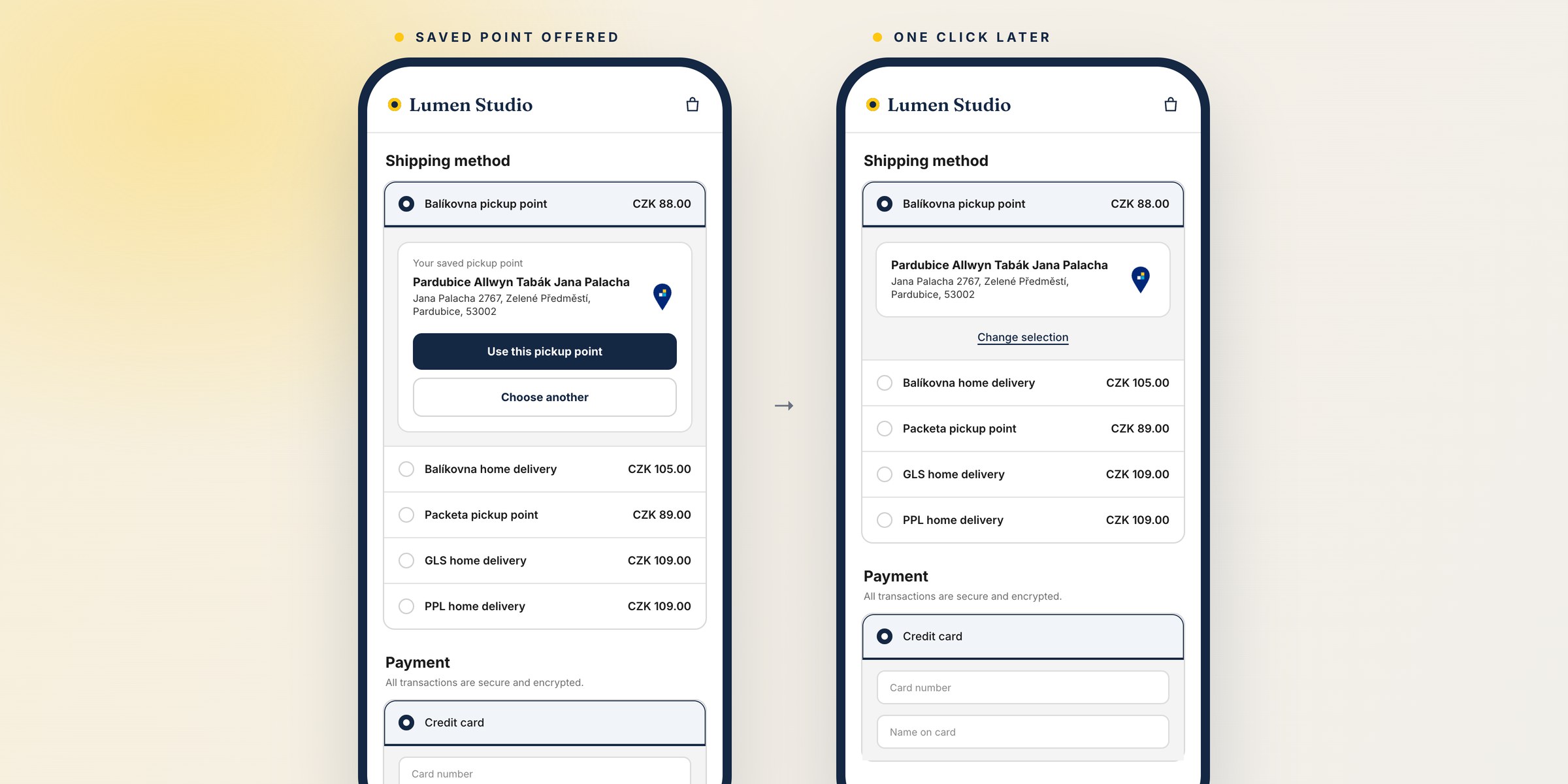
Globe saves the pickup point each customer chooses, for every carrier and country. The saved point comes from the customer's last order with that carrier or from the preferred pickup points block in their account. Until now only subscription renewals used it. At checkout the customer searched for the same point again.
Now a signed-in customer who chooses a pickup shipping method sees their saved point instead of the list, with two buttons: Use this pickup point and Choose another.
- Only a point the carrier offers right now. Globe checks it with the same search as the picker. A point from Globe's database has to be active. Carriers with a live API, such as Mondial Relay, DHL or GLS, have to return it. Your point type and ZIP code restrictions and the cart weight apply. When the point is not available, the customer gets the usual picker and no message.
- Nothing is selected without a click. Until the customer clicks one of the buttons, the order has no pickup point and the checkout cannot be completed.
- Choose another shows your usual picker. The list and map, the map only, or the Packeta widget, as you have it set up. The saved point does not come back in that checkout.
- The Postnummer comes with it. For a DHL Packstation the customer's saved Postnummer is filled in.
Guests see the picker as before. A shipping method that shows several carriers on one map does not offer a saved point.
There is nothing to set up. Details are in the documentation.
One loading look for the picker
While pickup points load, the picker shows its heading and one placeholder row. The spinner and the greyed-out list from the previous address are gone. It looks the same at checkout, on the order status page and on the thank-you page.